

Multiple-Monitor Productivity: Fact or Fiction?
January 25, 2008 ⋅ 34 Comments »It seems to be accepted wisdom, especially in programming circles, that more screen real estate makes you more productive. I’ve heard claims that you can increase your productivity by up to 50% just by adding a second display. After four months of using a big-ass LCD for development, I recently switched back to a 14” laptop screen. And you know what? I don’t feel like I’ve missed a stride. So I decided to take at the facts behind the claim that more screen real estate makes you more productive.
The Claims
Jeff Atwood writes an excellent blog on programming and human factors, and he is an unabashed fan of multiple monitors. In his post Multiple Monitors and Productivity, he writes that using multiple monitors “is really a no-brainer for any developer who values his or her time.” He stresses the fact that it’s not purely about screen real estate — he recommends using two or three smaller displays rather than one huge one. The reason is that with bigger displays, the window management actually gets more complicated. This is what Jeff calls The Large Display Paradox.
Joel Spolsky is another well-known champion of a multiple-monitor setup for programmers. In The Joel Test: 12 Steps to Better Code, he advocates giving your programmers the best tools money can buy. And according to Joel, this means multiple monitors:
Debugging GUI code with a single monitor system is painful if not impossible. If you’re writing GUI code, two monitors will make things much easier.
It’s not just Jeff and Joel. Take a look at the discussion thread on the Slashdot article Multiple Monitors and Productivity, or Ask Metafilter: Where can I find case studies on productivity gains from dual monitors for developers?. Even the New York Times published an article on The Virtues of a Second Screen:
Survey after survey shows that whether you measure your productivity in facts researched, alien spaceships vaporized, or articles written, adding an extra monitor will give your output a considerable boost — 20 percent to 30 percent, according to a survey by Jon Peddie Research.
My Doubts
I definitely agree that for some tasks, it’s really helpful to have some extra screen real estate. If you’re a graphic designer, you probably don’t want to be peering at your poster layout through a 13” keyhole. But for programmers, how many tasks actually benefit from more screen space? If I need to look at API documentation while I’m coding, I have no problem switching to another window to start writing my code. And on my 14” widescreen laptop screen, there’s more than enough room to compare two pieces of code side-by-side:
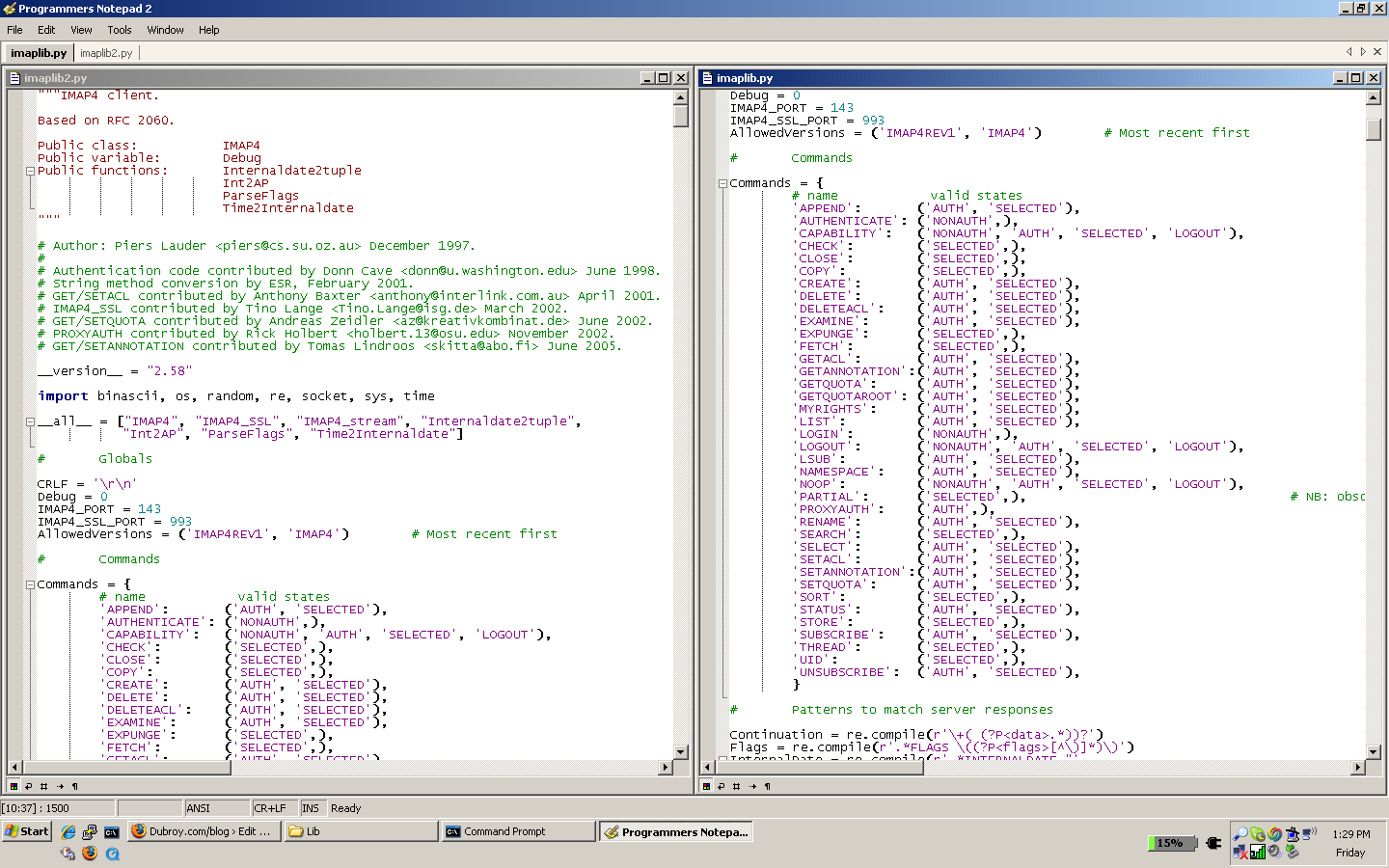
In the end, I think it’s a case of micro-optimization. There are lots of small tasks that can be made slightly more efficient if you have a second monitor. But these tasks are not the real bottlenecks to programmer productivity. If you were a writer, would you expect to increase your productivity if you could avoid changing sheets of paper in your typewriter?
The Evidence
So what about the actual hard evidence? Let’s take a look at the studies that supposedly show this increase in productivity.
An article on the Microsoft Research site entitled Two Screens Are Better Than One claims that researchers “found a tool that can increase your productivity by 9 to 50 percent and make your work day easier.” Since the article didn’t actually cite the studies, I had to do a little digging. I found a paper called Toward Characterizing the Productivity Benefits of Very Large Displays which found a 9% improvement in a series of tasks that involved cutting-and-pasting and scanning a document for information.
Not bad, actually. A 9% improvement in tasks that are highly applicable to programming. But on the other hand, how much time do you actually spend in a typical day doing these kinds of tasks? And how much time do you spend typing, whiteboarding, talking to your co-workers, and just staring into the distance and thinking about a problem? Let’s be generous and assume that you spend a quarter of your day performing tasks like in the study. So by using a bigger display, you might be able to improve your productivity by about 2.5%. Remember, studies have shown more that a rock-star coder can be an order of magnitude more productive than your average joe 1. Do you think these guys are more productive because they can cut and paste faster?
Okay, so we know where they got the 9%. What about the 50%? “Further studies showed even greater increases - at times up to 50 percent for tasks such as cutting and pasting.” Aha, there it is again. Cutting and pasting. Well, if your job includes 7.5 hours a day of cutting and pasting, then maybe you can cut that down to 5. You might make it a bit longer before you stab yourself in the eye due to the mind-numbing boredom.
Another study I’ve seen cited a few times is the The 30 inch Apple Cinema HD display productivity benchmark by Pfeiffer Consulting. This study showed that a 30” display made users significantly more productive than a 17” display. But the tasks were mostly designer centric, except for a task that involved manipulating a large spreadsheet, and one of combining several Word documents into another document (cutting and pasting again!).
Conclusion
After looking at the studies, I think it’s fair to say that some tasks can be made significantly faster if you have more screen real estate. On the other hand, I think it’s clear that most programmers are not going to be 50% more productive over the course of a day just by getting a second monitor. The tasks that can be improved are not the bottleneck to programmer productivity.
On the other hand, if you just can’t live without your dual- or triple-monitor setup, fine! I definitely agree that it can be nice sometimes. I personally find it difficult to manage the extra screen real estate, but that’s just me. If you’re a developer and you want a dual-monitor setup, then that should be reason enough for your boss to buy one. As Joel says:
Top notch development teams don’t torture their programmers. Even minor frustrations caused by using underpowered tools add up, making programmers grumpy and unhappy. And a grumpy programmer is an unproductive programmer.
Just don’t think that by adding a second monitor, you’ll start coding circles around the guy on his ThinkPad.
[1]: The fabled “10 fold difference” in programmer productivity is a discussion for another day. If you want to dive in, you could start with Jeff Atwood’s post on Skill Disparities in Programming.
Gerry - January 25, 2008:
No, unless if you were Jack Kerouac: http://en.wikipedia.org/wiki/On_the_Road#Origins
Patrick - January 25, 2008:
Haha yeah, that's exactly what I was thinking of.
Except, I think it was a little bit more than the single scroll the made Kerouac so productive. I think the amphetamines might have helped a bit. ;-)
Kaitain - March 20, 2008:
Wow, you're using a 14" widescreen laptop? You must have eyes like a hawk.
But to address your lack of enthusiasm for multiple monitors. Not only is it more efficient it saves a billion units of frustration not having to switch back and forth, look at part of a window, etc.
My favorite use for the second monitor is for running a second instance of the IDE for another solution I am working on concurrently. An example I'm doing at this exact moment is running a client solution in one monitor and a server solution on the other monitor. It allows me to run the server app on one monitor, watching its output, while stepping through the client code on the other monitor. I can't tell you how much time that saves me but I can tell you it saves me a great deal of frustration and that is invaluable.
Oh, and I tried going from two square monitors to one widescreen monitor and it just wasn't as good. I now use a widescreen and a square at work and at home I use two widescreens and a square one.
So, it's not just about raw productivity, it's also about job satisfaction and just plain comfort.
Patrick - March 20, 2008:
@Kaitain:
Haha, yes, I actually do have eyes like a hawk. The native resolution on my laptop is 1440x900, so that helps.
In the case you're talking about, I can definitely see the use of having two monitors. But I don't often find myself debugging two applications at once.
I think you hit the nail on the head when you said "it's not just about raw productivity, it's also about job satisfaction and just plain comfort." I agree with you 100%. The intent of my post was to show that it's misleading to say that your programming productivity will increase by 50% if you get a second monitor.
So, if you have a multiple-monitor setup and you love it, great. If you don't have one, but you think it will make you happier, then your employer should buy you one. But is buying a second monitor for everyone on the team going to make you ship the product faster? No.
Bill - March 24, 2008:
For me there is a definite productivity boost in increased vertical screen real estate. Mind you I define "real estate" as resolution not inches. I just went from a dual 15" LCD setup at work to a 17" CRT along side my laptops 15" LCD. The benefit... zero because the max resolution on the 17" CRT is the same as the old 15" LCD. I find myself all day long in code and having to scroll up and down to see those next few lines above the visible area to look at logical blocks of code at once. Whether I am taking my hands off the keyboard to scroll up with the scroll wheel or paging up and down with the keyboard I am losing a lot of time from changing view, changing back and then refocusing on where I was.
I know at previous jobs from having 21" monitors that supported 1600 x 1200 I have not had near the frustration in finding and following code. My max vertical resolution is 768 pixels right now and I would downsize to your one 14" monitor in a heartbeat to get 900 pixels high!
Patrick - March 24, 2008:
@Bill:
You're right. It's all about the resolution. And you know, that's probably why I didn't see much difference between my 24" monitor and my 14" laptop screen. The resolution on the 24" is 1920x1200, which isn't really that much bigger than 1440x900.
But even using both monitors I didn't really find it made that much of a difference. I felt I spent just as much time moving windows between monitors, and deciding which monitor to put an app on, as I would have spend switching between windows on a smaller screen.
Dubroy.com/blog - The *real* reason you want a multi-monitor setup - March 28, 2008:
[...] I had heard about studies that supposedly proved that you can be up to 50% more productive by adding a second display. In my post Multiple-Monitor Productivity: Fact or Fiction? I looked at these studies, and concluded that in some isolated tasks — like cutting and pasting, or working with a large spreadsheet — you can see a significant benefit if you add a second monitor. But for most programming tasks, the benefits are going to be minimal (but still there). [...]
Bill - April 4, 2008:
Just thought I'd share these recent resolution findings with you. I swapped my 17" monitor for another 17" that supports 1280x1024 and I have that coupled with my 15" (1024x768) laptop display. The monitor added 33% to the vertical resolution (768 to 1024) but I noticed it felt like a much bigger gain so I decided to count viewable lines in PL/SQL Developer as well as Excel and the gain is much greater. Excel: At 768 lines gave me 33 lines and with 1024 lines it gives 50 lines (a 51% increase) PL/SQL Developer (Using a SQL window and no data results): At 768 lines gave me 34 lines and with 1024 lines it gives 51 lines (a 50% increase) PL/SQL Developer (Using a SQL window and data results): At 768 lines gave me 26 lines and with 1024 lines it gives 44 lines (a 69% increase!)
I am often in the third scenario so am now seeing a 69% increase in viewable code! Since well formatted SQL is very lengthy vertically this cuts down on a lot of scrolling.
Seth - July 10, 2008:
It is a fact: Multiple Monitors improve your general productivity. All of this usefulness debate is silly because the more monitors you have, the more you can visualize. It's much easier to copy and paste from monitor to monitor than to maximize and minimize all day. Plus, when comparing charts etc., you definitely want to see both items so you can compare. Most people that think Multi-Monitors are overkill, probably think that the user wants one large monitor. That's not true. We use the multiple monitors to have several screens controlled by one mouse and keyboard. If you want to watch video and play video games, you should go with an HDTV, but if you are a business person, get the multiple monitors. The best place to purchase a Multiple Monitor Computer system is: http://www.Multi-Monitors.com
Check out this Multi-Monitor PC Video I found:
http://youtube.com/watch?v=j_avGStqZOI
Benefits of a Large Monitors : Productivity501 - July 23, 2008:
[...] Multiple-Monitor Productivity: Fact or Fiction? - Patrick Dubroy [...]
Computer Engineer - August 26, 2008:
I find it funny that people actually believe they are not more productive with multiple monitors. And the author states that he is not more productive with multiple monitors. Then he says that he has a 1440 x 900 resolution on his laptop. Well that is pretty much 1.5 monitors. Atleast width wise it is larger than one monitor. And all of the problems that everyone talks about with managing all of the screen real estate and taing time to figure out what to put on which screen is a load off poop. You guys have obviously not used a multiple monitor set up before. You develope a system and you may have a compile server on monitor 2 and the IDE or build environment on monitor one. You should know without even looking what is on which monitor. It is routine. I even had a multiple desktop program that gave me 8 different desktops on top of the dual monitors. Outlook is on desktop 3 monitor 1, Clear Quest desktop 3 monitor 2, etc...
The *real* reason you want a multiple monitor setup — Patrick Dubroy - March 3, 2009:
[...] I had heard about studies that supposedly proved that you can be up to 50% more productive by adding a second display. In my post Multiple-Monitor Productivity: Fact or Fiction? I looked at these studies, and concluded that in some isolated tasks — like cutting and pasting, or working with a large spreadsheet — you can see a significant benefit if you add a second monitor. But for most programming tasks, the benefits are going to be minimal (but still there). [...]
George Mauer - August 13, 2009:
Late to the comment party, but what the hey.
Test Driven Development without multiple monitors gets awful crowded since you MUST have a place to display your testing tools. Also anything where you might need to be writing code while looking at a database at the same time. Or if you're coding off of user stories. Or if you're tracking down bugs and entering them into a bug tracker.
I do about 10% of my development on a laptop screen and I have to lean on third party desktop management applications a WHOLE lot more to get a decent level of productivity.
How To Create Your Own Dual Monitor Setup - August 26, 2009:
[...] Multiple Monitor Productivity: Fact or Fiction? An article examining and debating the affects of multiple monitors on productivity [...]
How To Create Your Own Dual Monitor Setup | HKNetLife - Blogging for Life - September 3, 2009:
[...] Multiple Monitor Productivity: Fact or Fiction? An article examining and debating the affects of multiple monitors on productivity [...]
amir - December 7, 2009:
I feel the same way. I just never use it unless I drag a tv show to my 2nd screen.
im thinking I'll take it out...
B.Turner - December 22, 2009:
I use my second monitor most for Outlook and my debugger - and as a "user-sized" screen. Our office has several screen layouts - so to make sure I can support the least of these, I setup my second monitor to those dimensions. I have found several cases where the design I was working-on needed to be adjusted (sometimes significantly) for the smaller screen dimensions. Note that some of my users have all kinds of pixel real-estate, but scale it down to accommodate their poorer vision.
My larger monitor does allow for more lines of code, which sometimes comes-in handy for the debugger as well (I move it to the bigger wide-screen monitor when necessary).
Finally, having my email visible at a glance is very handy, and can help keep in touch when keeping in touch can make a difference in the career.
Still - to each his (her) own...
Steve - February 11, 2010:
Patrick, I find it interesting that you reviewed actual studies and concluded initially that a second monitor doesn't increase productivity. I was surprised that you didn't run your own test--you seem to belive in the validity of trying things out, e.g. testing, before you reach a conclusion.
Nowadays, I write code only very occassionly. But two monitors are very useful. If you do nothing more than leave Outlook open on Monitor 2, you will save significant time. Try it before you jump to your conclusions.
Be a fly on the wall and watch a secretary work for a few hours. I guarantee that, if you are paying for his or her time, you will leave your observation post and order a second monitor for them.
N.B. Bill is correct. This wide screen stuff is influenced by TV. Vertical hight is key for task oriented stuff. I have a chart that gives me the wide screen size compared to a traditional 3x4 monitor of equal hight.
For example, you need a 21 inch wide screen monitor to get approximately the same hight as a 17 inch conventional monitor.
For your work, you should use your present wide monitor as your 2nd monitor. Then get a 19 inch 3x4 monitor that has the flexibility to rotate so that the 12.4 inch side is vertical.
I think you will be surprised.
Brian Thomas - March 7, 2010:
I use a dual monitor setup. I just switched from having one very large monitor to have to medium monitors and I couldn't be happier. I can game in full screen on the left monitor while i have the internet or a movie or whatever going on the right monitor.
I didn't realize how often I was alt-tabbing between different applications until I didn't have to do it anymore. At least not as often.
I don't always utilize the extra monitor, it spends more time than I would like to admit just sitting there. It is the best possible way to upgrade a PC. If you have $200-$300 to spend on an upgrade a second monitor gives you the biggest bang for your buck.
Zam - July 10, 2010:
Never felt that multiple monitors helped me at all in programming. I ditched it years ago.
It's actually easier for me to alt-tab or click other windows than to jog my head, neck and eyes back and forth.
I've really yet to hear a compelling case for it in programming other than it just makes some people feel happier. Having things like email or IM open in another monitor is a downright distraction, and is a bad habit to get into frankly.
People's brains work differently, and for some I'm sure it helps. But my guess is that someone like you who doesn't need multi-monitors is probably way more productive than someone who needs all possible inputs in front of them simultaneously.
Daniel - July 14, 2010:
I just went from a dual monitor setup to a tripple monitor setup at work. All 3 monitors are 1680X1050 resolution.
I did find a huge increase going from one monitor to two. Adding the third monitor did not seem to make much of a difference to me. Two 1680X1050 or 1600X1200 monitors is sufficient. I have single 2560x1440 monitor at home which is very nice and gives me about the same productivity as my two 1680x1050 monitors at work.
When developing I typically have the following open my display. 3 full height columns of code, I code in the middle column, the two outside columns are used for reference. At least one API document open. A terminal window, or build output window if using an IDE.
For projects that I am working closely with a team on I always have my IM window open too. The last project I worked on we had 4 engineers that worked very closely on the same project. However all four of us sat at different location in the building. IM became an immensely useful tool.
Jeremy - July 30, 2010:
Multiple monitors are absolutely invaluable for anyone with the skills to effectively multitask. Not everyone can do this or needs to. I feel like I am barely function when I have to go home and develop on just two monitors. I have 3 in my office, and would prefer to have 6. I am constantly working between SQL Query Analyzer, Visual Studio, SQL Enterprise Manager, Internet Explorer (for testing and research) and just generally Windows Explorer for file functions - simultaneously - and generally have about 3 to 5 different tasks/requests on my plate at any given moment. I keep Outlook open in my right-hand monitor because I need to be able to see new e-mails at a glance on a constant basis throughout the day. In addition, most of my development deals with web applications that I need to be able to test in a browser. Constantly flipping back and forth between VS and IE? Far too inefficient. How many programmers DON'T frequently have to search the internet for a solution to a problem they are encountering? But that's all just from a development/programming perspective. Multiple monitors provide significant productivity benefits to almost any area of business. How many customer service departments only have one application that they use all day? Almost none. Our CS department has a call center application running that they need to access constantly, 2 ERP systems that they need to look up information in, and they need constant visibility to e-mail - not to mention the various web sites and web applications they need to access hundreds of times a day. They don't have two monitors yet, but we've been studying their workflow, and the inefficiency of flipping back and forth between the applications that they use 90% of the time is staggering. Usually the lag is caused when they need to copy information from one system/screen to another from memory (because cut-and-paste isn't available for various reasons ).
Some jobs may not involve the complexity to make multiple monitors particularly useful, but I think most probably do. All that said, multiple monitors won't help you if you don't want them to - i.e. if you don't actually UTILIZE them properly. You can lead a horse to water...
Jess - August 2, 2010:
I can't say I've ever tried having more than one monitor but I would imagine it would be an egonomic nightmare. I know there are multi screen support systems you can get but you're still turning your head constantly and I think it would hurt after a while. My eyes would probably hurt too.
It is inconvenient having to keep switching between tabs but I'd prefer that to injuring my neck.
jdjdjd - August 10, 2010:
Hrrm... I've had multiple monitors before dual 21" back in the day and others at work. I don't really find they make me more productive. Know what makes me more productive? A freaking laptop! I can use it anywhere, on the train commute, meeting with clients, laying on the couch, sitting at my kitchen table, library, moving to coffee shop, outside on the deck in the sun, at the park etc. etc. I definitely code and work in all those places as well. What is also good is that I don't need to have a "computer desk" at my house. Having to be locked to one area is mind numbing to me. I guess if you are monitoring a bunch of stuff at once it would be fine, but writing code? Eh not so much, I can do all that I need to do on my 17" laptop. I would never go back to a desktop much less having gaudy monitors taking up space in my house.
Anderson Leveille - August 11, 2010:
As a business owner who does engineering and high end manufacturing I can tell you that 2 monitors is an absolute must.I have them deployed with all my employees.I manage a tremendous amount of information in a day and started with a single maonitor like everyone else.Went to to monitors and couldnt beleive I had ever not had them.Then went to 4 monitors.Recently I lost a video card and only had 2 moniotrs for a week... Very painfull withdrawals.I just finished setting up 8 monitors today. I only use 19" monitors.The biggest single factor for me is being able to be interupted and change project in mid stride.I am then able to pick up where i left of easily and not get lost in the taskbar desert.
Joe - September 23, 2010:
I think another aspect overlooked when deciding whether to use dual monitors vs one is ergonomics. My wife is a physical therapist, and she says dual monitors is one of the worst things you can do for your neck and spine. It may not be apparent initially, but down the road, those are the individuals that become her clients.
Jesse - December 2, 2010:
The people claiming it's an ergonomic nightmare maybe should try a little excercise. I used to have neck issues from sports so I know a lot about neck and back pain. However, I'm currently working on a triple-monitor system and have been for nearly 8 years. I've had less problems since the switch than I ever had before.
Besides all of that. I have to be blunt. Any programmer that doesn't see the huge benefit of having more screen space is either an insane genius or has tunnel-vision. My current setup is a 22" widescreen in the middle and 2 19" on the sides. The widescreen allows for a lot of side-by-side code comparisons and for full toolbars on the sides. The side monitors allow me to view my database management tools, a preview of the web site, a web-resource, code samples, email, flow charts, or whatever I need to reference while I'm coding. And I can look at ALL of it without having to do spend time fliping through various windows looking for stuff.
I work in an office where everyone else does clerical work - billing and follow-up type stuff. After upgrading our users to dual 22" monitors, we had a measurable increase in productivity. A group that had been behind for almost 6 months was actually able to decrease their time per case by almost 15%. They were caught up within 2 months and actually increased total volume of invoices handled by over 10%.
All for about $400 per user - $150 for a decent dual-head video card and $250 for a monitor. All of the new systems we're purchasing have dual-DVI on the motherboard so it's a no-brainer.
Grant - January 18, 2011:
Personally I prefer a single monitor. I have a 17" CRT on my desk but I have around about 20 virtual desktops open at any one time. How do I propose increasing productivity? Learn to use keystrokes and get rid of the mouse. I went really smart on this and got rid of my mouse and bought a keyboard with an integrated glidepad. By not having to take my hands of the keyboard every 5 seconds I have got rid of the pain in my wrist, and it has encouraged me to learn keystrokes, which are hugely more productive than using a mouse.
I realise that this applies more to those in Linux/Unix environment. I think the mouse centricity of Microsoft only encourages people to inane solutions like multiple monitors or huge screen real estate.
Dmitri - June 9, 2011:
Personally, I find it really annoying when people argue that one monitor is enough for development. Seriously, everyone does debugging, right? Now, if that's the case, then everyone advocating a single monitor approach is basically suggesting that you Alt+TAB between screens as you debug.
Is that convenient? I don't think so.
Personally, I have 3 monitors (@1080p each), but am moving towards 6. And I'm not alone - lots of my colleages (we are .Net developers) are doing the same. Why? Because 3 monitors is normal. I don't even think of this as anything out of the ordinary. Now, going back to programming on a single screen, that is a pain!
Deborah Kim - June 10, 2011:
I have been using 2 monitors. one is 15" and the other 23". When I first start working as a programmer, I only used 15" one only but later on I saw my colleagues using multi-monitors. I started to think, do I need them... maybe... From that on I'm using 2 monitors for my job. It's sometimes soooo convenient to look up the documents and programming right a way but also take my time to think where I place apps. It always depends on how I use.
Rick - July 21, 2011:
Everyone at our shop has 3 monitors. When one goes down to 2 life is horrible
When you have to travel and work on your laptop, I cannot even begin to describe the pain
jonnbenny - July 27, 2011:
I read this like two years ago, and came back today after I heard someone speaking about increased productivity with dual displays.
It's like no one ever heard of Alt+Tab.
I use two displays when creating websites or graphical work derived from a model or source, but I would hesitate to ever claim increased productivity from having dual displays. I also regularly work on a 15'' laptop, and a 10'' tablet/netbook hybrid, and while the experience isn't as rich, I can still get what I need to done.
The 'benefit' of having dual displays (or more) isn't productivity - it's comfort (as was already pointed out in the above comments). It's the appearance of seamless work, without having to flip through windows. There are numerous keyboard shortcuts people are oblivious to using that would give you the same interactivity as dual displays.
David H. - September 29, 2011:
I don't even how this is an argument, or how you can call yourself a programmer and not like dual displays. I (my opinion, obviously) feel very strongly that if you don't like your time wasted, there is no reason to not have more than one display. Let's consider you're fixing a bug.... you can tail a log file on half of one monitor, be editing code on a full display, and actively interacting with your app on the other half of the display that is showing logs. Or, maybe you are doing JSP/HTML page and you want to read JavaScript documentation, edit code, and refresh the page as quickly as possible. Let's say that you ALT+TAB to find windows every day, and the time it takes you to find a target window is 0.5seconds * n where N is the number of windows you have. On average, you have 6 windows open, and you ALT+TAB 4 times an hour to find something. That's ~12 seconds wasted an hour. That's about 7 hours a year. I'll tell you right now my salary @ 7 hours a year covers the cost of a monitor. And that's the minimal case of only valuing it over ALT TABBING. Not only that, but because you can't view an API you're depending on at the same time you are writing code against it, you could make coding mistakes that could cost you minutes a day. Minutes may not seem like a lot, but those minutes + seconds for alt-tabbing add up, and in the end, you only need to justify a 200 to 400$ cost for the extra monitors. Based on an average programmers salary, the screen will not only pay for itself, but based on the programmers environment and window count on average, ends up being a positive investment for the company and a programmer that has less frustrations.
OK, so let's at least go back to your point on being even (at the lowest end of low) 2% or so more productive. Two percent of an entry level programmer's salary easily pays for two monitors. Then after that first year, the company turns a profit. Not to mention that if studies are even somewhat correct and a single worker gains 25% improvement from an extra display, that means every four programmers with an extra monitor is equivalent to having five employees with one monitor each. At the cost of less than 1,000$ a year, I think it's a no brainer. Not only that, even if the percents vary from 1% to 25%, 250$ per monitor isn't even a risk. Hell, half the programmers out there would probably even take half the cost out of their paycheck just because they value their time.
Portable Laptop Side Monitor Boosts Productivity « Accessories for Laptop - October 27, 2011:
[...] studies have found that more computing display space means greater productivity. Whether you believe that or not, once you leave the office, your expanded display options shrink. Laptops with very large or even [...]